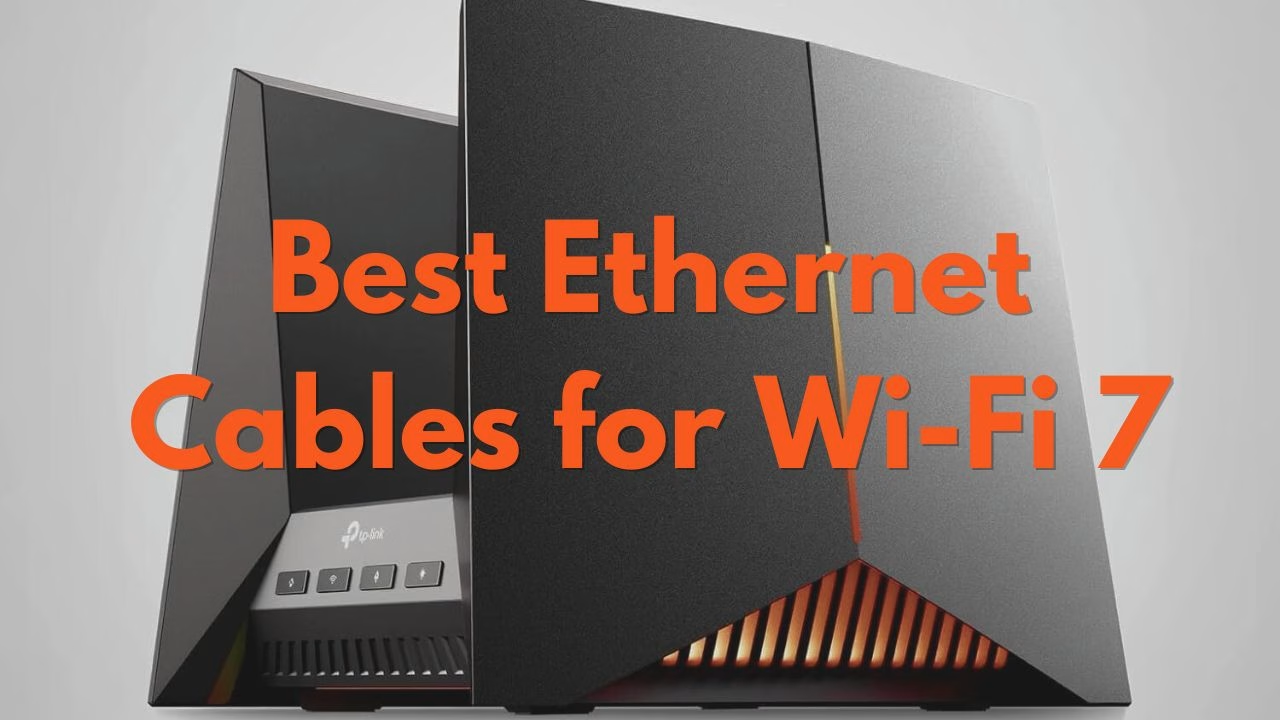
Best Ethernet Cables for Wi-Fi 7 Routers: Don’t Bottleneck Your Speed (2026)
Table of Contents
The TL;DR Quick Answer
For most Wi-Fi 7 setups, a Shielded Cat6a (S/FTP) cable is the best choice. It supports 10Gbps speeds up to 100 meters (328 feet), which matches the 10G WAN/LAN ports found on Wi-Fi 7 routers. While Cat8 supports up to 40Gbps, it would be overkill for residential use and is significantly stiffer and harder to route through furniture.
Why Your Old Cable is Killing Your Wi-Fi 7 Speeds
Wi-Fi 7 (802.11be) is the first wireless standard to officially break the “10-Gigabit barrier.” However, if you are still connecting your router to your modem with an old Cat5e cable, your entire network is physically capped at 1Gbps because of the Cat5e cable’s capacity.
As with all setups, they are only as strong as its weakest link and in this case, the weakest link is the “data pipe” feeding the router.
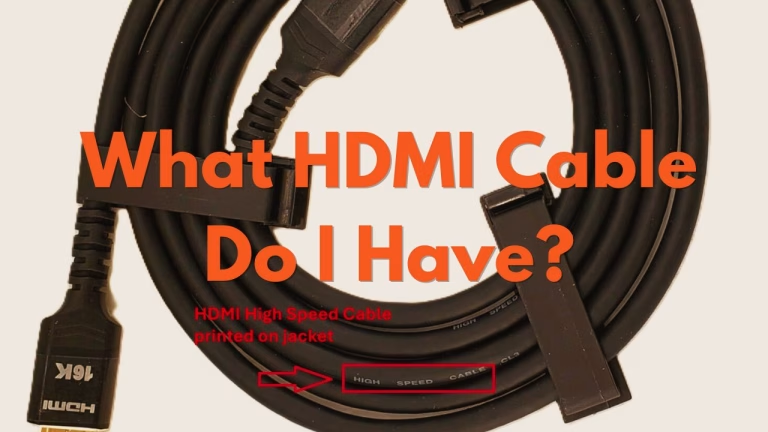
Pro Tip: Just as a high-end monitor can be stuck at 60Hz due to a bad HDMI cable, your Wi-Fi 7 network can be “stuck” at 1/10th of its speed due to an outdated Ethernet cable.
Wi-Fi 7 Ethernet Compatibility Chart
| Cable Category | Max Speed | Max Frequency | Wi-Fi 7 Status |
| Cat5e | 1 Gbps | 100 MHz | Bottleneck |
| Cat6 | 10 Gbps (up to 55 metres/ 180 ft) | 250 MHz | Partial Bottleneck |
| Cat6a | 10 Gbps | 500 MHz | Recommended |
| Cat8 | 40 Gbps | 2000 MHz | Overkill (Future Proof) |
Cat6a vs. Cat8: Which Should You Buy in 2026?
The Case for Cat6a (The Practical Winner)
Cat6a (Augmented Category 6) was designed specifically for 10Gbps data centers. According to the TIA-568 standards, Cat6a provides superior crosstalk reduction compared to standard Cat6.
- Pros: Thinner, cheaper, and supports the full speed of current ISP offerings (like Google Fiber or AT&T 5-Gig/10-Gig plans). A 75ft (~23 meters) Cat6a cable should cost under $18.
- Cons: Needs to be “Shielded” (S/FTP) if you are running it alongside power lines to avoid interference.
The Case for Cat8 (The “Future-Proofer”)
Cat8 is the current “heavyweight” of ethernet cables. It is designed for 25G and 40G speeds.
- Pros: Massive bandwidth; ideal if you have a local 25Gbps NAS (Network Attached Storage) or server.
- Cons: Very thick, more expensive, and limited to 30-meter runs for top speeds. A 65ft (~20meters) Cat8 cable costs around to $50.
Expert Verdict: Unless you are a hardcore enthusiast with a 10Gbps+ internal server, Cat6a will be more than enough.
The Best Ethernet Cables for Wi-Fi 7 (Top Picks)
Best Overall: Cable Matters Shielded Cat6a
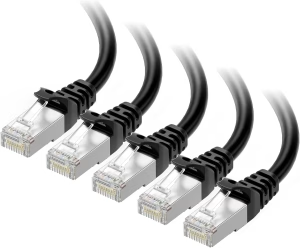
The Gold Standard for Wi-Fi 7 If you want the exact same performance used in professional data centers without the “enterprise” price tag, this is your cable. Cable Matters is a titan in the industry, and their Cat6a is specifically engineered for sustained 10Gbps throughput.
Why we chose it: It features S/FTP shielding (Shielded/Foiled Twisted Pair), which is crucial for Wi-Fi 7 routers. This prevents your high-speed internet signal from being “corrupted” by the power cables or other electronics sitting behind your desk.
Pro Tip: This cable is slightly thicker due to the shielding, so ensure you have about 2 inches of clearance behind your router for the bend radius.
Best for Gaming: UGREEN Cat8 Braided
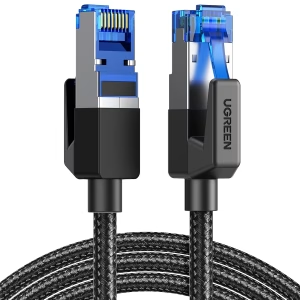
The “Zero-Lag” Competitive Edge For those aiming for 240Hz competitive gaming, your biggest enemy isn’t just speed—it’s jitter (inconsistent ping). The UGREEN Cat8 uses 2000MHz bandwidth (4x more than Cat6a) to ensure that even in a house full of smart devices and interference, your gaming packets are the first to arrive.
Why we chose it: The premium cotton-braided jacket isn’t just for looks; it makes the cable incredibly durable and tangle-resistant. It’s the ultimate “peace of mind” purchase for gamers who never want to wonder if their cable is the reason they missed a shot.
Pro Tip: Even though Cat8 supports 40Gbps, it is fully backward compatible. You can plug this into a 1Gbps port today and it will work perfectly while being ready for your next 10G upgrade.
Best for Hidden Runs: Monoprice SlimRun Cat6a
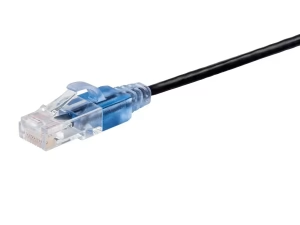
The “Invisible” 10-Gig Solution Most 10Gbps cables are thick and ugly. Monoprice solved this with their SlimRun technology. These cables are nearly half the diameter of a standard Cat6a cord, yet they still meet the full 10-Gigabit technical requirements.
Why we chose it: This is the only cable on the list that you can easily tuck under a rug, slide behind a thin baseboard, or run around a door frame without it being an eyesore. It is the perfect choice for living room setups where “cable clutter” is a dealbreaker.
Pro Tip: Because they are so thin, avoid “kinking” or sharp 90-degree folds. Use rounded corners to maintain the integrity of the internal copper pairs.
How to Identify Your Current Cable
To determine the Cat of the Ethernet cable in your current setup, look at the jacket (the plastic cover) of your cable. Manufacturers are required by ISO/IEC standards to print the category directly on the wire.
- If it says “Cat5e” or “Cat6,” it’s time for an upgrade.
- If it says “Cat6a,” “Cat7,” or “Cat8,” you are ready for Wi-Fi 7.
If you don’t see any identification printed on your cable, chances are that it’s an old Cat5e or Cat 6 cable.
FAQ: Wi-Fi 7 Networking
Do I need a new Ethernet cable for Wi-Fi 7?
Yes, if your current cable is Cat5e. To utilize the 10Gbps WAN ports on Wi-Fi 7 routers, you need a Cat6a or higher cable.
Does Cat7 work for Wi-Fi 7?
Cat7 is a “non-standard” category for RJ45 connectors (it was designed for a different plug type). While it works, Cat6a is technically superior for home networking due to better standardization.
Can I use my old Cat6 cable?
Standard Cat6 can handle 10Gbps only over short distances (under 33-55 meters). Cat6a is a lot more reliable for a whole-home setup.
Final Thoughts on Ethernet cables for Wi-Fi 7
Wi-Fi 7 is built with the future in mind. That’s going to be 8K streaming, Virtual Reality, and ultra-low latency gaming. Don’t let a $10 cable be the reason your $500 router underperforms.
Benjamin Wallace

A software engineer, I have a strong interest in technology, bot software and hardware. Blogging is a way to share what I have learned and hopefully people will find it useful.

Helpful context for international sales teams
Are you selling WiFi 7 routers? Hopefully the info is helpful for sales calls.
thank your for this article, keep up the good work
Thanks for your kind words. Hope it was helpful in your search for a Wi-Fi 7 routers.