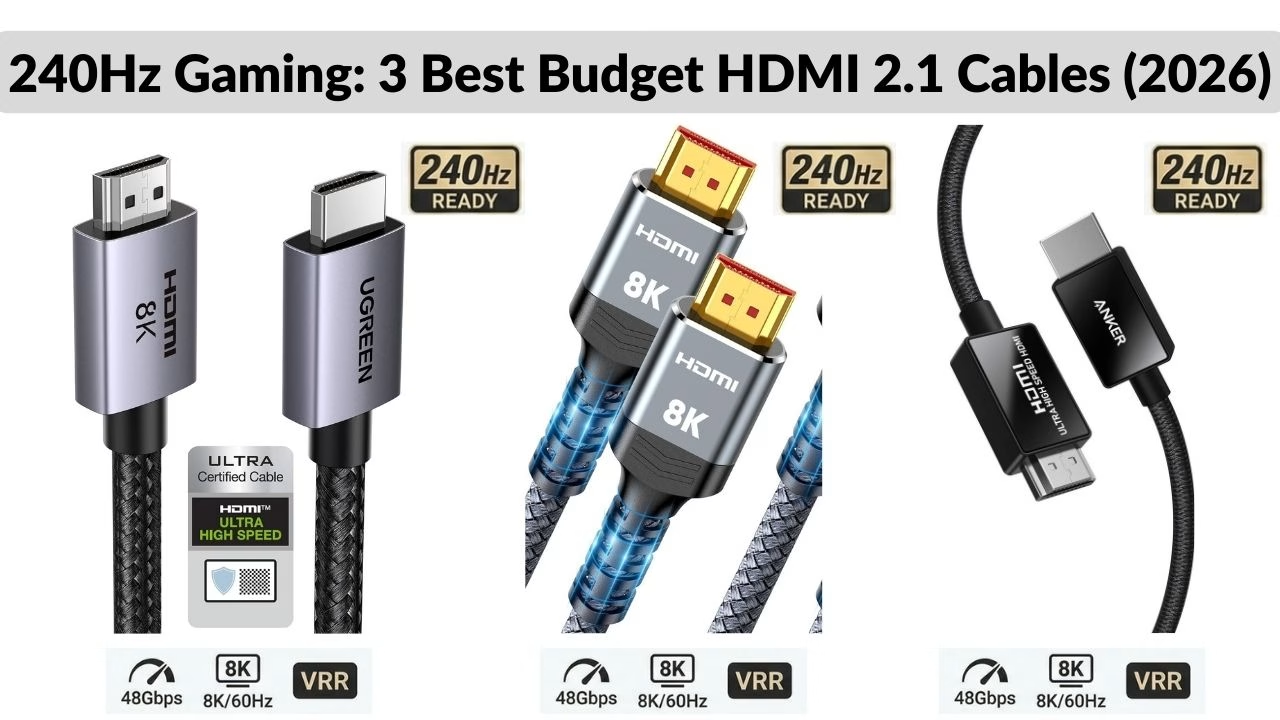
The 3 Best Budget HDMI 2.1 Cables for 240Hz Gaming (2026)
Don’t waste $50 on an expensive HDMI cable at the store. If you want 240Hz at 1080p or 1440p, these certified Ultra High Speed HDMI 2.1 cables offer the best performance for under $15.
Table of Contents
If you want to push your monitor to 240Hz, there is no room for signal interference. The term, “better picture quality”, is a myth. What matters are bandwidth, certification and shielding. A $100 gold-plated cable won’t necessarily give you “better picture quality”.
Before you buy, make sure you know which HDMI version your resolution requires. With that in mind, here are the three best budget-friendly HDMI 2.1 cables for 2026 so far.
⚡ Quick Summary
- Price vs. Quality: You don’t need to spend $50; budget cables under $15 are now officially certified for 240Hz.
- The 48Gbps Rule: Only buy cables labeled “Ultra High Speed” to ensure you have the bandwidth for 1440p at 240Hz.
- Top Pick: The Anker Ultra High Speed is the most reliable for PC gamers due to its superior shielding.
- Avoid Fakes: Always look for the HDMI Forum’s holographic sticker on the box to verify authenticity.
HDMI 2.1 Cables Comparison at a Glance
| Feature | Highwings 2.1 (2-Pack) | Ugreen Certified 2.1 | Anker Ultra High Speed |
| Price | ~$13.99 (for two) | ~$11.69 (single) | ~$17.99 (single) |
| Key Features | 48Gbps, Braided, 8K/60Hz | Official Certification, VRR/eARC | Double-Braided, Low EMI Shielding |
| Pros | Unbeatable value; extremely flexible. | Most trusted quality control; various lengths. | “Bulletproof” build; 18-month warranty. |
| Cons | Bulky connector housing. | Stiffer cable jacket. | Highest price “budget” cable. |
| Best Use Case | Multi-monitor setups. | Serious gaming (PS5/Series X). | Desktop setups with high interference. |
1. Highwings Ultra High Speed HDMI 2.1 (Best Overall Value)
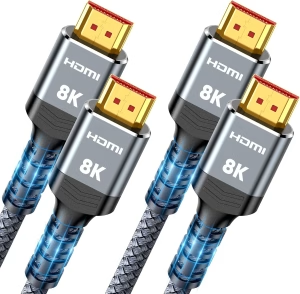
Highwings has become the “go-to” brand for gamers who want performance without the brand-name markup.
- Why it’s great: It is officially HDMI 2.1 Certified, meaning it has been third-party tested to handle 48Gbps. This is more than enough for 1440p at 240Hz.
- The Bonus: You can often find these in a 2-pack for less than $15, making them the best “price-per-cable” option for multi-monitor setups.
- Pros: Durable braided shield, very flexible, 8K/60Hz and 4K/120Hz ready.
- Cons: The braided jacket is thick, which can be stiff in very tight desk setups.
2. Ugreen Certified HDMI 2.1 (The Reliability King)
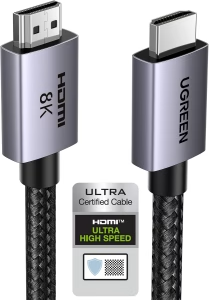
Ugreen is one of the most trusted names in tech accessories for a reason: their quality control is incredibly consistent.
- Why it’s great: If you are worried about “flickering” or signal dropouts, Ugreen’s shielding is top-tier. Their 2.1 cables are tested for eARC and VRR (Variable Refresh Rate), ensuring your G-Sync or FreeSync works perfectly at 240Hz.
- Variety: Ugreen offers the widest range of lengths, from 3ft to 15ft, without losing signal integrity.
- Pros: Sleek connector design, excellent heat dissipation, wide compatibility.
- Cons: Usually sold as a single pack, so slightly more expensive than Highwings.
3. Anker 8K Ultra High Speed (The Premium Budget Pick)
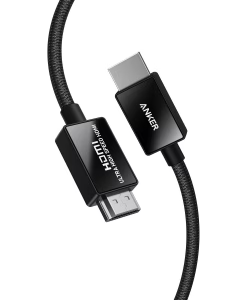
Anker is famous for its “bulletproof” charging cables, and they’ve brought that same philosophy to HDMI.
- Why it’s great: This cable feels significantly more “premium” than other budget options. It features carbon steel connectors and a double-braided nylon finish that can withstand 10,000+ bends.
- Performance: It is one of the few cables that consistently passes the HDMI Forum’s Ultra High Speed test for low EMI (electromagnetic interference), which is crucial if you have a lot of wireless devices near your PC.
- Pros: Best-in-class durability, 18-month warranty, very low interference.
- Cons: Priced at the top end of the “budget” category (~17.99).
Buyer’s Tip: Look for the Hologram
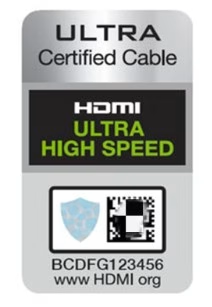
When your cable arrives, check the packaging for the HDMI Ultra High Speed Hologram. You can actually scan this with the “HDMI Cable Certification” app on your phone. If it doesn’t scan, it’s a fake. All three cables listed above are verified to carry this certification.
Final Verdict: Which one should you buy?
- If you have two monitors: Get the Highwings 2-Pack. It’s unbeatable for the price.
- If you want a cable that will last 5+ years: Spend the extra few dollars on the Anker.
- If you need a specific length (like 10 or 15 feet): Go with Ugreen.
Summary: Top HDMI 2.1 Picks for 240Hz (At a Glance)
The best budget HDMI 2.1 cables in 2026 are from Highwings, Ugreen, and Anker. All three support 48Gbps bandwidth, 240Hz refresh rates, and are officially certified by the HDMI Forum.
If you bought one of these cables and your monitor is still stuck at 60Hz, follow our step-by-step troubleshooting guide to fix your Windows settings.
Common Questions About 240Hz HDMI Cables
Is a $15 cable safe for my expensive GPU?
Absolutely. HDMI is a digital signal; it either works or it doesn’t. As long as the cable is certified “Ultra High Speed,” it won’t harm your hardware.
Can these cables do 4K at 240Hz?
Yes, but only if your monitor and GPU support DSC (Display Stream Compression). These 48Gbps cables are the highest standard available for that task.
Does cable length matter for 240Hz?
Yes. For 240Hz, keep the cable under 3 meters (10ft). Longer cables often suffer from “signal dropouts” unless they are expensive Fiber Optic versions.
Is HDMI 2.1 backward compatible?
Yes. You can use an HDMI 2.1 cable with an older HDMI 2.0 or 1.4 monitor, making it a great “future-proof” purchase.
Do I need to install drivers for my cable?
No, HDMI cables are “Plug and Play.” However, you must ensure your Graphics Card drivers are updated to enable the 240Hz setting in Windows.
Benjamin Wallace

A software engineer, I have a strong interest in technology, bot software and hardware. Blogging is a way to share what I have learned and hopefully people will find it useful.

Pretty! This has been a really wonderful post. Many thanks for providing these details.
For the reason that the admin of this site is working, no uncertainty very quickly it will be renowned, due to its quality contents.
Thi is a great article no doubt about it, i just started following you and i enjoy reading this piece. Do you post often ? we have similar post on the german best freelancer platform you can check it out if you want. Trusted source by Google.Thank you
Thanks for following. Maybe I’ll check out the site sometime soon.