
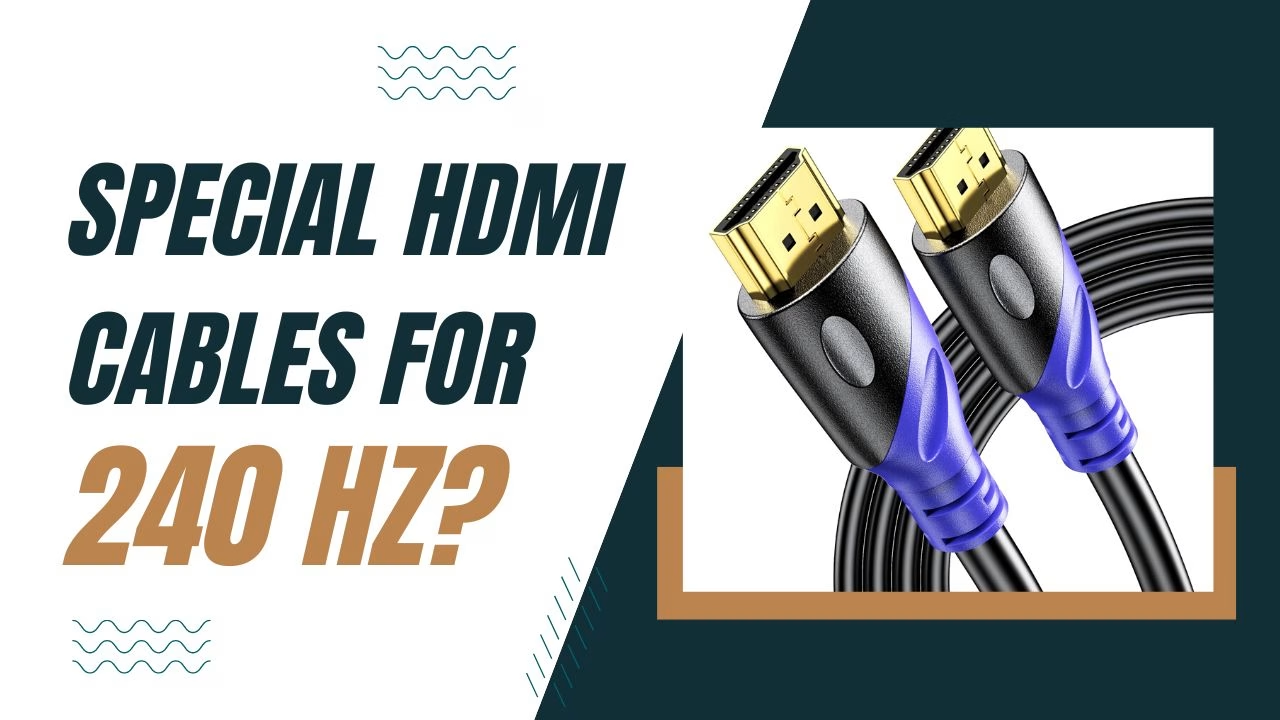
Do I Need a Special HDMI Cable for a 240Hz Monitor? (2026 Guide)
The Quick Answer (TL;DR)
Yes, you need a specific HDMI cable version to hit 240Hz. For 1080p at 240Hz, you need at least an HDMI 2.0 cable (labeled “Premium High Speed”).
- For 1440p at 240Hz, you must use an HDMI 2.1 cable (labeled “Ultra High Speed”).
- For 4K at 240Hz, you need an HDMI 2.1 cable with DSC (Display Stream Compression) support.
Note: Even with the right cable, your GPU port and Monitor port must also support these versions. If your laptop has an old HDMI 1.4 port, a new cable will not fix the bottleneck.
Table of Contents
240Hz Compatibility Chart
This table will help you identify the exact HDMI cable and port version required for your gaming setup.
| Resolution | Refresh Rate | Required HDMI Version | Cable Certification Label |
| 1080p (FHD) | 240Hz | HDMI 2.0 or higher | Premium High Speed |
| 1440p (QHD) | 240Hz | HDMI 2.1 | Ultra High Speed |
| 4K (UHD) | 240Hz | HDMI 2.1 (with DSC) | Ultra High Speed |
Why Your Current Cable Might Be Failing
Most “standard” HDMI cables found around the house, especially if they were bought before 2020, are HDMI 1.4. While these work great for 1080p at 60Hz, they lack the bandwidth (the “pipe size”) to move 240 images per second onto your screen.
The Bandwidth Gap
- HDMI 1.4: 10.2 Gbps (Caps at 1080p @ 120Hz)
- HDMI 2.0: 18.0 Gbps (Supports 1080p @ 240Hz)
- HDMI 2.1: 48.0 Gbps (Required for 1440p and 4K @ 240Hz)
There’s a huge difference in the bandwidth of HDMI 1.4 and the newer HDMI versions like HDMI 2.0 and HDMI 2.1.
The DisplayPort Alternative
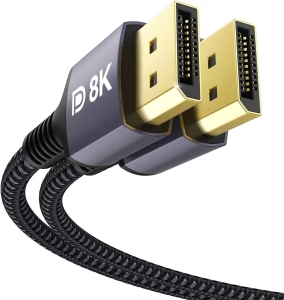
If you are on a PC, many experts recommend using DisplayPort 1.4 instead of HDMI. DisplayPort was designed for high-refresh gaming and often has fewer “handshake” issues than HDMI when trying to reach 240Hz. However, for PS5 and Xbox gamers, HDMI 2.1 is the modern standard.
3 Steps to Fix the “Stuck at 60Hz” Issue
If you have a 240Hz monitor but the settings won’t let you go higher than 60Hz, follow this troubleshooting checklist:
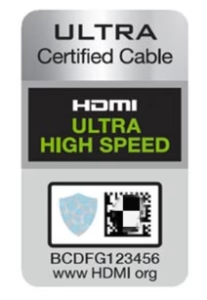
- Check the Cable Label: Look for “Ultra High Speed” logo on the cable jacket. If it’s blank, it’s likely an old, slow cable. It could also be an imitation cable if there’s no certification logo.
- Verify the Port: Ensure you are plugged into the HDMI 2.1 port on your monitor. Some monitors have three ports, but only one might be high-speed.
- Update Windows/GPU Settings: Right-click Desktop > Display Settings > Advanced Display. Ensure the “Refresh Rate” dropdown actually has 240Hz selected.
FAQ
Can HDMI 2.0 run 240Hz?
Yes, HDMI 2.0 can support 240Hz, but only at 1080p resolution. If you try to run 1440p or 4K, HDMI 2.0 will cap your refresh rate significantly lower (usually 144Hz or 60Hz).
Does the length of the HDMI cable affect 240Hz?
Yes. For high-bandwidth signals like 240Hz, signal degradation happens quickly. It is best to keep your cable under 3 meters (10 feet). If you need a longer run, you must buy an Active Optical (Fiber) HDMI 2.1 cable.
Is a “4K HDMI Cable” good enough for 240Hz?
Not necessarily. Many cables labeled “4K” are actually HDMI 2.0, which only supports 4K at 60Hz. To get 240Hz at higher resolutions, specifically look for the “Ultra High Speed” 48Gbps certification.
Does HDMI 2.1 support 240Hz on PS5?
Currently, the PS5 and Xbox Series X are capped at 120Hz. While an HDMI 2.1 cable can technically handle 240Hz, the consoles themselves do not output that frame rate yet.
Final Recommendation
If you want to “set it and forget it,” always buy an Ultra High Speed HDMI 2.1 cable. They are backward compatible, meaning they will work with older 1080p monitors but are powerful enough to handle a 4K 240Hz upgrade in the future. Also, the price difference is negligible, only around $2 more.
Benjamin Wallace

A software engineer, I have a strong interest in technology, bot software and hardware. Blogging is a way to share what I have learned and hopefully people will find it useful.


Great article! I really appreciate the way you explained everything so clearly – it feels like you put a lot of effort into making it useful for readers. I’ve been exploring different tools and resources myself, It’s been a game changer for me, and reading your post actually gave me even more ideas on how to apply it. Thanks for sharing such valuable insights!
Thanks! Hope to add more articles to the site soon.